Robots.txt Examples: 14 Real Configurations for 2026
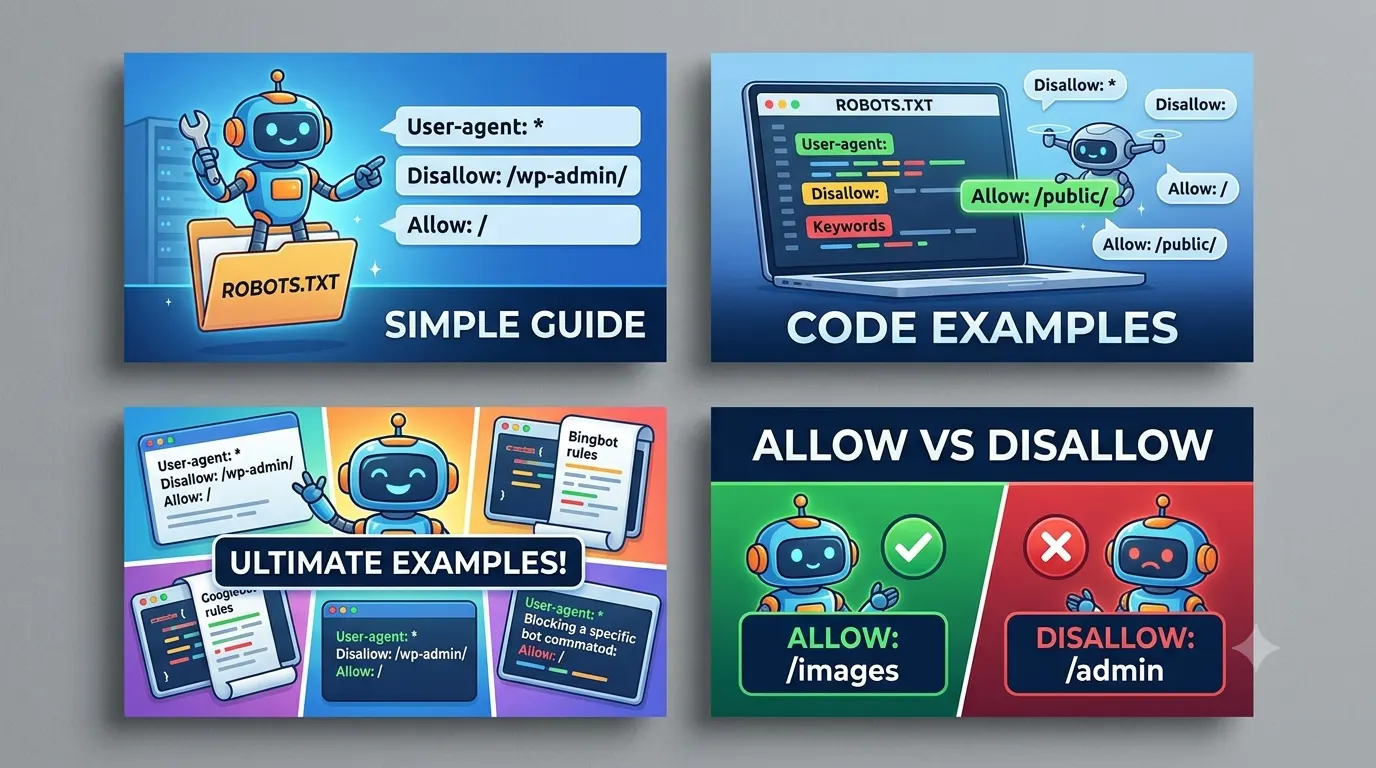
- Robots.txt controls crawling, not indexing. Use
noindexmeta tags or theX-Robots-TagHTTP header to block indexing. - Crawl budget matters mainly for large sites with 10,000+ pages. For small sites, a single default disallow rarely causes problems.
- Place the file at the root domain only. Subfolder placements, like
example.com/blog/robots.txt, are ignored. - Test every change in Google Search Console's robots.txt Tester before deploying.
- Wildcard patterns (
$,*) work across major search engines, but syntax differences exist between Googlebot and Bingbot. - Blocking CSS, JS, or image files can break rendering and harm search visibility.
Table of Contents
- Introduction
- What Robots.txt Actually Does
- Example 1: The Basic Setup
- Example 2: WordPress
- Example 3: SaaS Platform
- Example 4: Ecommerce Store
- Example 5: Staging Environment
- Example 6: News or Blog with Archives
- Example 7: API Endpoints
- Example 8: Image-Heavy Site
- Example 9: Subdomain vs. Subfolder
- Example 10: Bing-Specific Adjustments
- Example 11: Blocking AI Crawlers
- Example 12: Sitemap Path Declaration
- Example 13: Crawl-Delay Directive
- Example 14: Multiple User-Agent Blocks
- Common Mistakes to Avoid
- Framework: The RAC Audit
- How This Applies in Practice
- Frequently Asked Questions
- Article Summary
- Conclusion
Introduction
Every SEO practitioner eventually needs to configure a robots.txt file. It looks deceptively simple: a few lines of text telling crawlers where they can and cannot go. Get it wrong, and you could accidentally block your entire site from crawling — or worse, leave your login pages and API endpoints exposed to every bot on the web.
This article provides 14 real robots.txt examples you can adapt for common setups: WordPress blogs, SaaS dashboards, ecommerce stores, staging environments, and more. Each example is tested against Google Search Central guidelines and includes a note on when to use it — and when to avoid it.
After reading, you will be able to audit your own file, understand the difference between crawling and indexing, and avoid the top mistakes that waste crawl budget or leak sensitive content.
What Robots.txt Actually Does
Robots.txt is a plain text file placed at the root of your domain — for example, https://example.com/robots.txt. It uses the Robots Exclusion Protocol to communicate with compliant crawlers. The file contains one or more User-agent lines followed by Disallow and Allow directives.
Critically, robots.txt does not prevent indexing. If you block a page in robots.txt but another site links to it, Google may still index the URL. The result is a search result with a "description unavailable" message — not ideal for user experience. For true indexing control, use a noindex meta tag or the X-Robots-Tag HTTP header.
Example 1: The Basic Setup
This example allows all crawlers to access all content. Use this for a small site with no crawl budget concerns and no private areas.
User-agent: *
Disallow:
When to use: Personal blogs, small portfolios, or sites with fewer than 500 pages.
When to avoid: Sites with admin panels, duplicate content, or large archives that don't need crawling.
Example 2: WordPress
WordPress generates many low-value URLs: admin pages, feed endpoints, and template directories. Block these to conserve crawl budget.
User-agent: *
Disallow: /wp-admin/
Disallow: /wp-includes/
Disallow: /wp-content/plugins/
Disallow: /feed/
Disallow: /trackback/
Allow: /wp-admin/admin-ajax.php
When to use: Any WordPress site where you want to avoid wasting crawl budget on boilerplate system files.
When to avoid: If you rely on feed readers for distribution, remove the /feed/ line. Also, block /wp-admin/ early to prevent accidental exposure of login pages.
/wp-content/themes/ or common script directories unless you have tested that rendering still works. Blocking these can cause Google to see a blank page and demote your rankings.
Example 3: SaaS Platform
SaaS sites often have user-specific dashboards, sign-in pages, and dynamic content filters. Blocking these prevents duplicate content issues and protects private areas.
User-agent: *
Disallow: /dashboard/
Disallow: /signin/
Disallow: /signup/
Disallow: /reset-password/
Disallow: /account/
Disallow: /search?
Disallow: /?sort=
Allow: /pricing/
Allow: /features/
Allow: /docs/
When to use: SaaS platforms with public marketing pages and private authenticated areas.
When to avoid: Do not block /docs/ if your documentation is public and SEO-critical. Ensure the Allow lines appear after the Disallow lines.
Example 4: Ecommerce Store
Ecommerce sites struggle with faceted navigation, sort parameters, and infinite product variations. These should be blocked.
User-agent: *
Disallow: /cart/
Disallow: /checkout/
Disallow: /my-account/
Disallow: /*?sort=
Disallow: /*?color=
Disallow: /*?size=
Disallow: /*?page=
Allow: /products/
Allow: /categories/
When to use: Ecommerce stores with faceted filters and user account pages.
When to avoid: If you use /products/ as a paginated list, verify that the Allow line does not accidentally unblock every product variant URL that includes parameters. Pair this with a canonical tag for each product page.
Example 5: Staging Environment
Staging sites should never appear in search results. Block all crawlers entirely.
User-agent: *
Disallow: /
When to use: Non-production environments that should remain hidden.
When to avoid: This does not replace password protection. Because robots.txt is a voluntary protocol, aggressive crawlers (or malicious bots) may ignore it. Always combine with HTTP authentication for real security.
Example 6: News or Blog with Archives
Large content sites accumulate category, tag, and date-based archive pages that add little search value.
User-agent: *
Disallow: /category/
Disallow: /tag/
Disallow: /author/
Disallow: /page/
Disallow: /?s=
When to use: Blogs with heavy archive pages that create thin content duplicates.
When to avoid: If your category pages provide unique editorial value (for example, a curated "Best of" category), keep them uncrawled but add a noindex meta tag instead.
Example 7: API Endpoints
API endpoints return raw data that is not meant for search users. Blocking them also prevents accidental crawl budget waste.
User-agent: *
Disallow: /api/
Disallow: /v1/
Disallow: /v2/
When to use: Any site that exposes JSON, XML, or RESTful API endpoints.
When to avoid: If your API documentation pages live under /api/docs/, add an Allow: /api/docs/ line above the Disallow to keep documentation visible.
Example 8: Image-Heavy Site
If you want to prevent Google Images from crawling your media assets, block the image user agent.
User-agent: Googlebot-Image
Disallow: /images/
When to use: Sites where images are licensed, low-resolution, or not intended for image search.
When to avoid: For most content sites, image search drives significant referral traffic. Only block images if you have a clear rights management reason.
Example 9: Subdomain vs. Subfolder
Robots.txt rules are per subdomain. A file on blog.example.com/robots.txt does not affect shop.example.com.
# For blog.example.com
User-agent: *
Disallow: /old-posts/
When to use: When you operate separate subdomains for distinct purposes.
When to avoid: If you accidentally place a restrictive robots.txt on a CDN subdomain, you may block crawlers from fetching assets and break page rendering.
Example 10: Bing-Specific Adjustments
Bingbot supports a Crawl-Delay directive and respects some wildcard patterns differently. Use a separate block for Bing.
User-agent: Bingbot
Disallow: /private/
Crawl-Delay: 10
When to use: Sites where Bingbot is consuming excessive server resources.
When to avoid: Crawl-Delay is not supported by Googlebot. If your server is slow, use server-level caching instead of relying on Crawl-Delay.
Example 11: Blocking AI Crawlers
As of 2026, AI training crawlers like GPTBot, CCBot, and Claude-Web are active. If you want to exclude your content from LLM training data, block them explicitly.
User-agent: GPTBot
Disallow: /
User-agent: CCBot
Disallow: /
User-agent: Claude-Web
Disallow: /
When to use: If your content license does not permit use in training datasets.
When to avoid: Blocking AI crawlers may reduce your ability to appear in AI Overviews citations. Evaluate your risk tolerance carefully.
Example 12: Sitemap Path Declaration
Declaring your sitemap inside robots.txt helps crawlers discover content faster.
User-agent: *
Disallow: /private/
Sitemap: https://example.com/sitemap.xml
When to use: Always. The Sitemap directive is supported by Google, Bing, and Yandex.
When to avoid: None. Always include this line even if you also submit via Google Search Console.
Example 13: Crawl-Delay Directive
Some crawlers support a Crawl-Delay value in seconds. This is not part of the standard Robots Exclusion Protocol but is used by Bing, Yandex, and others.
User-agent: Yandex
Crawl-Delay: 15
User-agent: Baiduspider
Crawl-Delay: 20
When to use: When a specific bot is overloading your server.
When to avoid: Do not use Crawl-Delay for Googlebot. Use Google Search Console's Crawl Rate setting instead.
Example 14: Multiple User-Agent Blocks
You can target different bots with different rules. The order matters: more specific user-agents should come before the catch-all.
User-agent: Googlebot
Disallow: /private/

User-agent: Googlebot-Image
Disallow: /images/

User-agent: *
Disallow: /temp/
When to use: When you need precise control over each bot type.
When to avoid: Keep the file readable. Too many blocks can lead to accidental overlaps and unintended disallows.
Common Mistakes to Avoid
- Blocking CSS/JS: This can break rendering for Google’s mobile-first index, leading to a blank page evaluation.
- Using robots.txt for security: It is not a security mechanism. Private pages should be password-protected or authenticated.
- Forgetting the Sitemap line: Without it, crawlers may take longer to discover new content.
- Placing robots.txt in a subfolder: Only the root
/robots.txtfile is recognized. - Confusing Disallow with noindex: Blocked pages can still be indexed. Use
noindexfor indexing control. - Wildcard mistakes: Googlebot supports
*and$, but not all crawlers interpret them identically. Test before deploying.
Framework: The RAC Audit for Robots.txt
When you inherit a site or need to verify your existing file, use the RAC Framework. RAC stands for Review, Analyze, Confirm. It helps you audit robots.txt without guessing.
Step 1: Review
Open your file at example.com/robots.txt. Copy the content. Check the following:
- Does the file exist? If not, create one with the basic setup.
- Are there any comments (lines starting with
#)? They are ignored but help document decisions. - Does the file contain a
Sitemapdirective? If not, add it.
Step 2: Analyze
Map each Disallow line to a real directory or URL pattern on your site. Ask:
- Does this directory need to be crawled? If it’s internal (admin, staging, temp), keep the block.
- Is this directory intended for search users? If yes, remove the block.
- Are there wildcards that may accidentally block more than intended? For example,
Disallow: /*?sort=blocks every URL containing?sort=, even on your main pages.
Step 3: Confirm
Use these tools to validate:
- Google Search Console – robots.txt Tester
- Your server’s raw access logs – to see which bots hit which URLs
- A crawler simulator – to verify your intended disallows are respected
How This Applies in Practice
Beginner website (personal blog or portfolio): Use the basic setup from Example 1. You have few pages, no crawl budget concerns, and low risk from misconfiguration. Focus on writing great content rather than fine-tuning robots.txt.
SaaS website: Apply Example 3. Block all authenticated paths (/dashboard/, /account/) but allow public pages like /pricing/ and /docs/. Use Example 11 to decide whether to block AI crawlers based on your content licensing.
Ecommerce store: Use Example 4 as a starting point. Then audit your parameter URLs. Many ecommerce platforms generate thousands of filter combinations. Block them aggressively but test that your core product and category pages remain crawlable. Add the Sitemap directive (Example 12) to accelerate discovery of new products.
Local business: Keep it simple. Use Example 1 or 2. Local businesses rarely have thousands of pages. Block only the admin panel and maybe a thank-you page. Do not block Googlebot-Image unless you have rights concerns — Google Images can drive local traffic through photos of your storefront or menu.
Frequently Asked Questions
Does robots.txt block indexing?
No. Robots.txt only prevents crawlers from accessing a URL. If another site links to that URL, Google can still index it without seeing the content. The result is a search snippet with no description. To actually block indexing, use a noindex meta tag or the X-Robots-Tag HTTP header. A common mistake is assuming that adding a Disallow line also removes the page from search results.
Can I use robots.txt to block AI crawlers like GPTBot?
Yes, you can add a line for each AI crawler user-agent. For example, User-agent: GPTBot followed by Disallow: / tells OpenAI's crawler to stay away. However, not all AI crawlers respect robots.txt. Some ignore it entirely. Blocking AI crawlers may also reduce the chance your content appears in AI Overviews. Evaluate whether the trade-off is worth it for your site.
What happens if I forget to add a Sitemap directive?
Search engines will still find your sitemap if you submit it via Google Search Console or Bing Webmaster Tools. However, declaring the sitemap inside robots.txt is a second discovery layer. It helps crawlers find new or updated pages faster, especially for large sites. The line is simple: Sitemap: https://example.com/sitemap.xml. Add it even if you have already submitted through other means.
How often should I update my robots.txt?
Update your robots.txt whenever you change your site structure. For example, if you migrate from /blog/ to /articles/, update the Disallow lines accordingly. If you add a new subdomain or launch a new section (like a forum or user dashboard), add corresponding rules. Otherwise, a quarterly review is enough for most sites. Use the RAC Framework to audit it each time.
Can I use robots.txt to block duplicate content?
You can, but it is not the best approach. Blocking a URL in robots.txt prevents crawlers from seeing the content, but Google may still index the URL and show a blank snippet. A better strategy is to use canonical tags to consolidate duplicate signals, or add a noindex tag to pages that hold no search value. Reserve robots.txt for crawl management, not duplicate content control.
Does robots.txt affect crawl budget for small sites?
Rarely. Crawl budget only becomes a practical concern when a site has tens of thousands of pages. For a small site under 1,000 pages, Googlebot will likely crawl all your pages regardless of a few Disallow lines. Focus on content quality and internal linking. If you do want to optimize for small sites, simply block obvious low-value areas like admin panels or tag archives.
Article Summary
This article covered 14 practical robots.txt examples for common scenarios: WordPress, SaaS, ecommerce, staging, news, API endpoints, and more. You learned the difference between crawling and indexing, the top mistakes to avoid, and the RAC Framework — a three-step manual audit method to review, analyze, and confirm your robots.txt file. Each example included guidance on when to use it and when to avoid it. The goal is not to copy-paste blindly, but to adapt each example to your specific site structure.
Useful Tool for This Task
If you need to control crawling rules, use the SMARTCHAINE Robots.txt Generator to create clear robots directives for search engines.
Conclusion
Robots.txt is a simple file with surprisingly deep consequences. A single misplaced wildcard can hide entire sections of your site from search engines. The 14 examples in this article give you a starting point for any common setup — but they are not a substitute for testing. Use Google Search Console’s robots.txt Tester after every change. Apply the RAC Framework quarterly or after every major site update. And remember: robots.txt controls crawling, not indexing. If you need to remove pages from search results, use a noindex tag instead.
- Google Search Central – Official documentation on crawling and indexing.
- Semrush Blog – In-depth technical SEO guides.
- Moz Blog – Crawl budget and robots.txt deep dives.
- Google Search Console – Test and validate your robots.txt file.
About the Author
The SMARTCHAINE Editorial Team specializes in SEO, AI Search Optimization, GEO (Generative Engine Optimization), AI Overviews, Structured Data, Technical SEO, and search visibility strategies for modern search engines and AI-powered discovery platforms.