How Google Search Works: 2026 Guide to Crawling, Indexing & Serving
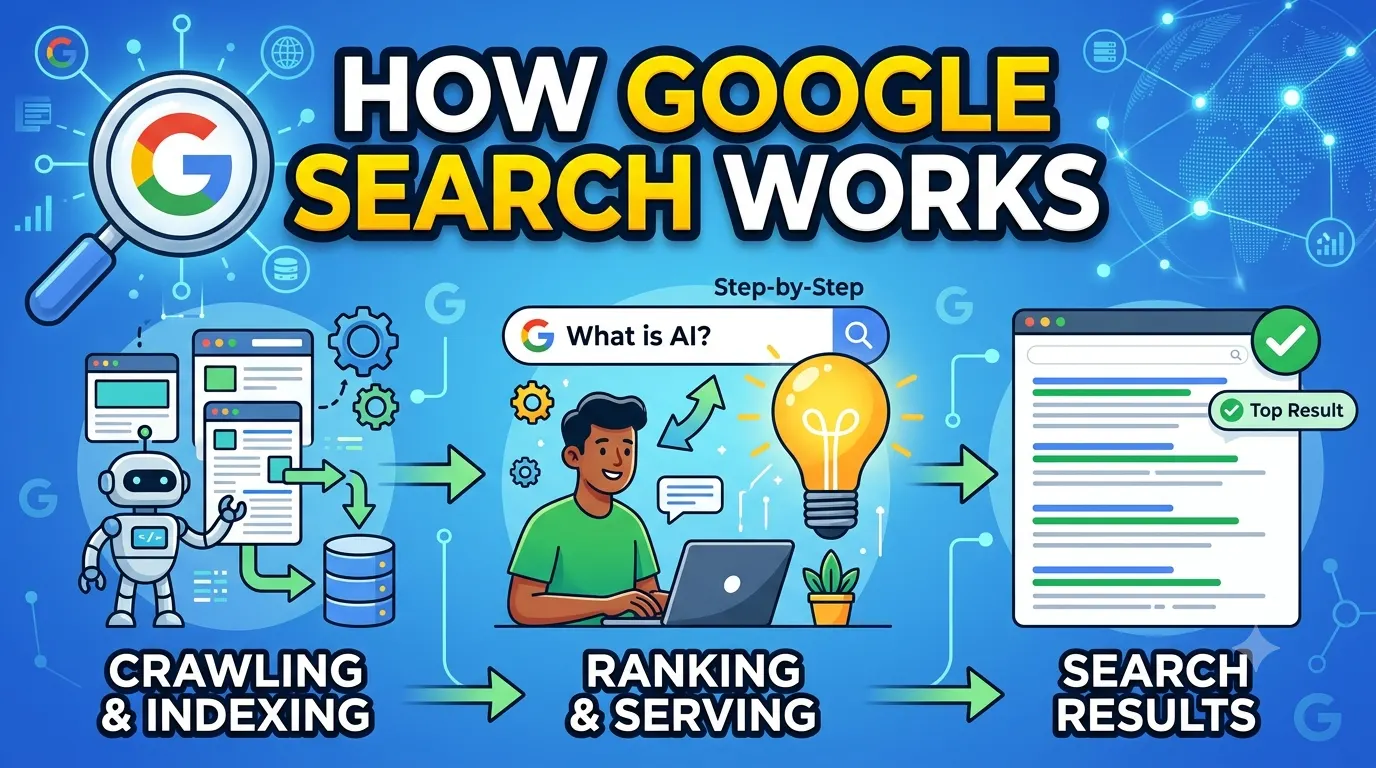
How Google Search works in three stages: Crawling, Indexing, and Serving results. Google uses automated bots called crawlers to discover public web pages, processes and stores them in a massive index, then ranks the most relevant results based on hundreds of signals including relevance, quality, usability, and context. This article explains each stage with practical workflows, real tools, and the impact of AI Overviews.
TL;DR
Google Search works by crawling billions of pages, indexing the content it finds, and serving the most relevant results using ranking algorithms. In 2026, AI Overviews and advanced language models add a new layer of summarization. To succeed, focus on crawlability, clear site architecture, content quality, and structured data. Avoid blocking crawlers unintentionally and monitor Google Search Console regularly.
Key Takeaways
- Google follows three main stages: Crawling (discovering URLs), Indexing (understanding and storing content), and Serving (ranking and displaying results).
- AI Overviews now summarize search results for complex queries, changing how users interact with traditional organic listings.
- Crawl budget management matters most for large websites; small sites rarely need to worry about it.
- Structured data (especially Schema.org types) helps Google understand content context and eligibility for rich results.
- Google Search Console is your primary free tool for diagnosing indexing and serving issues.
- Content quality and relevance remain the strongest ranking signals, not technical tricks.
Table of Contents
1. How Crawling Works
Crawling is the discovery phase. Googlebot, Google's web crawler, follows links from known pages to new ones, reads sitemaps, and processes redirects to find content worth indexing. Without proper crawl access, no content enters the search pipeline.
Googlebot's behavior and crawl budget
Googlebot doesn't crawl every page equally. It prioritizes pages based on perceived importance and freshness. Factors like server response time, site size, and link popularity influence how often it returns.
Expert Tip
For small websites (under 10,000 pages), crawl budget is rarely a bottleneck. Focus on ensuring your important pages have internal links and are not blocked by robots.txt or noindex tags. For large ecommerce or news sites, monitor the Crawl Stats report in Google Search Console to see how Google allocates resources.
Common crawl blockers
- Incorrect robots.txt: Accidentally disallowing important sections (e.g., /blog/).
- Noindex tags: Placing noindex on pages you want indexed.
- Broken links and redirect chains: Wasting crawl budget on dead ends.
- Slow server response: Consistently slow TTFB reduces crawl frequency.
2. The Indexing Stage
Once Googlebot fetches a page, it analyzes the content—text, images, video, and structured data. The page is then processed and stored in Google's Caffeine index. Not every crawled page gets indexed; content must be considered valuable and unique.
What Google indexes
Google indexes the visible text, metadata (title tags, meta descriptions), alt attributes, and structured data markup. Indexing also involves understanding the page's topic, entities, and relationships to other content.
Why pages get excluded from the index
| Reason | Example Scenario | Fix |
|---|---|---|
| Thin or duplicate content | Category pages with 20 words of text | Add unique, useful content |
| Noindex directive | Blog posts accidentally tagged noindex | Remove the noindex meta tag |
| Orphan pages | Pages with zero internal links | Add internal links from relevant pages |
| Blocked by robots.txt | Disallow: /products/ | Update robots.txt to allow crawling |
Structured data and indexing
Adding schema markup like Article, Product, or FAQPage doesn't guarantee indexing, but it helps Google understand context and may unlock rich results. Always test your markup using the Rich Results Test tool.
3. Serving Results and Ranking
When a user searches, Google retrieves the most relevant pages from its index. The ranking algorithm evaluates hundreds of signals, including content relevance, backlinks, page speed, Core Web Vitals, and user engagement metrics.
How ranking works beyond keywords
Modern ranking considers search intent—whether the user wants information, a product, a local business, or a navigation shortcut. Exact-match keywords matter less than topic authority and user satisfaction signals.
Example Scenario: Local bakery vs. recipe blog
- A local bakery website should prioritize local SEO: Google Business Profile, local schema, and maps. Its content about "how to bake sourdough" may not rank nationally, but its "bakery near me" page can dominate locally.
- A recipe blog publishing "how to bake sourdough" needs strong backlinks, structured data (Recipe schema), and thorough instructions to rank against big recipe sites.
4. AI Overviews and Featured Snippets
AI Overviews, introduced by Google in 2024, generate summarized answers at the top of search results for complex queries. They pull from multiple sources and can reduce click-through rates for traditional organic results. Understanding how they work is now part of understanding how Google Search works.
Optimizing for AI Overviews
- Write clear definitions and answer-first content under headings.
- Use structured summaries, lists, and tables that AI models can extract.
- Maintain factual accuracy; AI Overviews prefer authoritative sources with clear citation potential.
- Avoid vague or contradictory information within the same page.
Comparison: Traditional featured snippet vs. AI Overview
| Feature | Featured Snippet | AI Overview |
|---|---|---|
| Source attribution | Single page with link | Multiple sources, often with citations |
| Query types | Factual, definitional | Explanatory, comparative, complex |
| User behavior | Often copies text | May reduce further clicks |
| Optimization strategy | Answer in 40-60 words | Provide comprehensive, structured content |
5. The 5-Layer Lighthouse Framework
This framework helps you evaluate and improve how well your website aligns with how Google Search works. Treat each layer as a successive priority.
The 5-Layer Lighthouse Framework
- Layer 1: Discoverability — Can Googlebot find your content? Check robots.txt, sitemaps, internal linking, and crawl errors in Search Console.
- Layer 2: Indexability — Is your content stored in Google's index? Use the URL Inspection tool to verify. Remove noindex tags from important pages.
- Layer 3: Understandability — Does Google understand what your page is about? Use clear headings, structured data (Article, Product, FAQPage), and entity-rich language.
- Layer 4: Relevance — Does your content match search intent? Analyze top-ranking pages for your target keywords. Determine intent (informational, transactional, navigational, commercial).
- Layer 5: User Experience — Are visitors satisfied? Monitor Core Web Vitals, page speed, mobile usability, and engagement metrics like bounce rate and dwell time in Google Analytics.
6. How This Applies in Practice
The practical application of how Google Search works varies depending on website type and goals.
For a beginner blog or personal website
Focus on Layer 1 (discoverability) and Layer 2 (indexability). Submit a sitemap via Google Search Console. Ensure internal links connect all posts. Write content that answers real user questions. Don't overcomplicate technical SEO.
For a SaaS website
Prioritize Layer 3 (understandability) and Layer 4 (relevance). Use Product schema for features, FAQPage for help content, and organize documentation with clear information architecture. AI Overviews frequently cite well-structured SaaS documentation.
For an ecommerce store
Layer 2 (indexability) is critical. Manage faceted navigation carefully to avoid millions of low-value URLs being indexed. Use canonical tags, block filter parameters where appropriate, and prioritize category and product page content.
For a local business
Layer 5 (user experience) combined with local relevance. Claim your Google Business Profile. Add LocalBusiness schema. Ensure NAP consistency across directories. Reviews and local citations strongly influence serving for local queries.
7. Common Mistakes to Avoid
- Blocking CSS/JS files in robots.txt — Google needs these to render pages properly for mobile friendliness and Core Web Vitals assessment.
- Ignoring 4xx and 5xx errors — High error rates can reduce crawl budget and harm indexation.
- Using dynamic URLs without static fallbacks — While Google handles JS better than in the past, server-rendered content is still more reliably indexed.
- Treating ranking factors as a checklist — SEO is not a set of independent boxes to tick. Every change affects other signals. Test methodically.
- Over-reliance on AI-generated content — Google's helpful content system evaluates whether content demonstrates first-hand expertise. Generic AI text rarely satisfies this.
8. Actionable Checklist
How Google Search Works Checklist
- Check crawl access: Review robots.txt and remove disallow rules for important sections.
- Submit sitemap: Ensure your XML sitemap is updated and submitted via Google Search Console.
- Verify indexation: Use the URL Inspection tool on 10-20 key pages. Fix any reported issues.
- Add structured data: Implement relevant Schema.org types (Article, BreadcrumbList, FAQPage, Product).
- Analyze search intent: Review top 10 results for your target keywords. Match content format and depth.
- Monitor Core Web Vitals: Check the Core Web Vitals report in Search Console. Prioritize LCP and CLS improvements.
- Review performance metrics: In Google Analytics, track organic landing page bounce rates and average session duration.
9. Frequently Asked Questions
How long does it take for Google to index a new page?
There is no fixed timeline. Small sites with fresh content may see indexing within a few hours if sitemaps are submitted and internal links exist. Larger sites or pages with low authority may take weeks. If a page isn't indexed after two weeks, verify no directives are blocking it and request indexation via Google Search Console.
Does Google index JavaScript-heavy websites?
Yes, Google processes JavaScript, but it requires additional rendering resources, which can cause delays. Critical content should be server-rendered or pre-rendered when possible. Test how Google sees your JS content using the URL Inspection tool's screenshot and rendered HTML view. Pages that rely entirely on client-side rendering are at higher risk of partial indexing.
What is the difference between crawling and indexing?
Crawling is the discovery step—Googlebot downloads the page content. Indexing is the analysis and storage step—Google processes the content and decides if it should be added to the search index. A page can be crawled but not indexed if it's considered low quality, duplicate, or automatically blocked by a noindex directive.
How do AI Overviews affect how Google Search works?
AI Overviews add an additional serving layer for complex queries. Instead of showing a list of blue links, Google generates a summarized answer using multiple sources. This changes how users interact with search results—they may get an answer without clicking through. To be cited in AI Overviews, focus on providing clear, authoritative, and well-structured content that models can extract.
Can I force Google to index my site faster?
You cannot force speed, but you can improve conditions. Ensure your sitemap is error-free, build quality backlinks to increase site authority, maintain fast server response times, and avoid large-scale redesigns that confuse crawlers. Indexing speed correlates directly with perceived usefulness and authority of the content.
Does Google index content behind login walls?
Google generally cannot index content behind login walls or paywalls without special markup. For paywalled content, implement structured data using the "isAccessibleForFree": false property plus a paywalled CSS class. For login-only content, consider creating public excerpts or summaries that Google can index to drive qualified traffic.
10. Article Summary
This article explained how Google Search works across its three core stages: crawling, indexing, and serving results. You learned about crawl budget, common indexing blockers, and how ranking signals combine to determine which pages appear for which queries. The 5-Layer Lighthouse Framework provides a practical methodology for diagnosing and improving your site's alignment with Google's processes. Special attention was given to AI Overviews and how they add a new dimension to search results. The checklist and FAQ provide actionable next steps regardless of your website type.
Recommended Resources
- Google Search Central — Official documentation on crawling, indexing, and best practices.
- Schema.org — Complete schema vocabulary for structured data.
- Google Search Console — Free tool for monitoring indexation, crawl stats, and performance.
- Ahrefs Blog — In-depth SEO guides and industry analysis.
- Moz Blog — Beginner-friendly and advanced SEO content.
Conclusion
Understanding how Google Search works isn't just an academic exercise—it's the foundation of every effective SEO strategy. The three stages of crawling, indexing, and serving are non-negotiable realities. By applying the 5-Layer Lighthouse Framework, monitoring your data in Google Search Console, and adapting to AI Overviews, you create a trustworthy, discoverable website that aligns with how search engines actually operate. Start with the checklist, focus on fundamentals, and let data guide your next move.
About the Author
The SMARTCHAINE Editorial Team specializes in SEO, AI Search Optimization, GEO (Generative Engine Optimization), AI Overviews, Structured Data, Technical SEO, and search visibility strategies for modern search engines and AI-powered discovery platforms.