How to Add FAQ Rich Snippets: Step-by-Step Guide (2026)
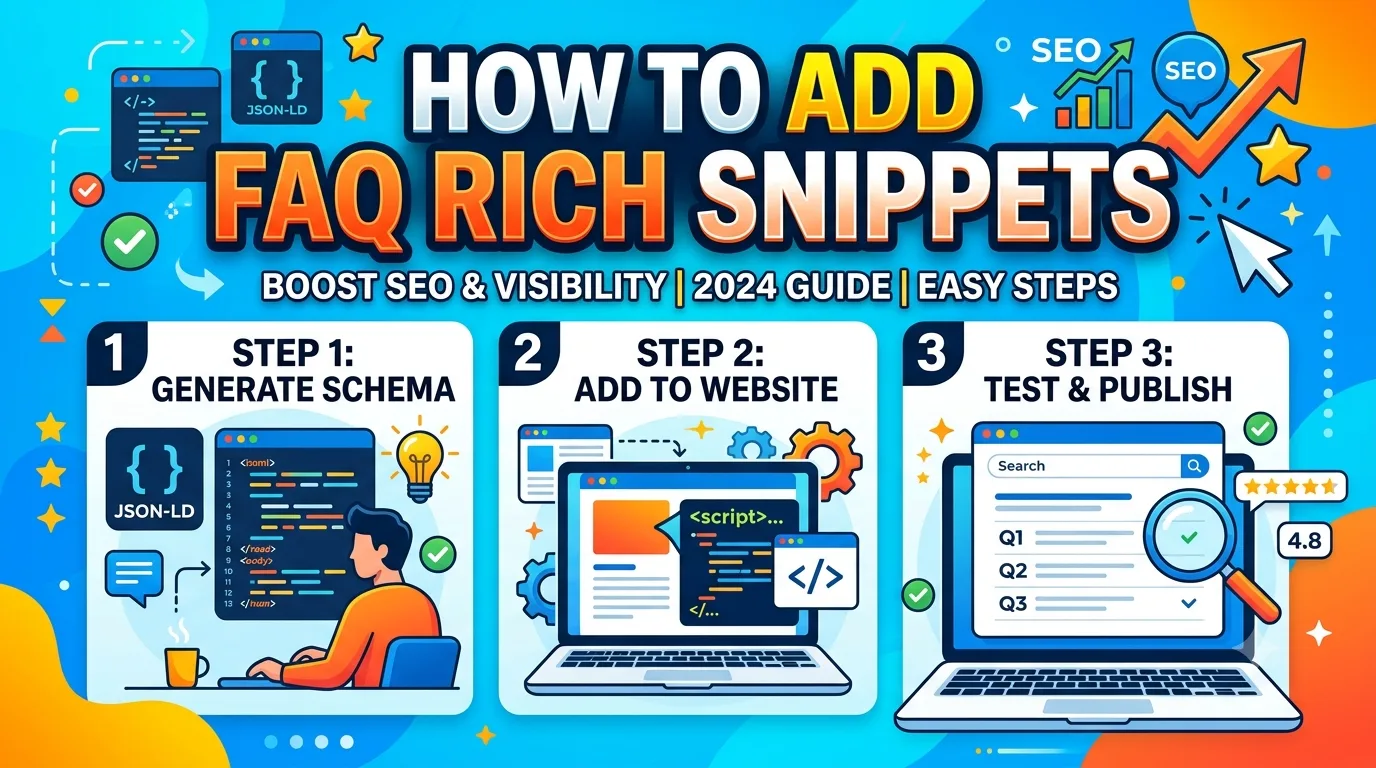
TL;DR
FAQ rich snippets display your questions and answers directly in Google search results. To implement them, you need to add FAQPage schema markup to your HTML. This guide covers the exact JSON-LD code, validation steps in Google Search Console, common pitfalls that cause schema to be ignored, and how to structure your content so Google actually shows your rich result instead of collapsing it.
Key Takeaways
- FAQ rich snippets require FAQPage schema markup, not just any structured data type
- Google may stop showing your FAQ rich snippet if the content doesn't meet quality thresholds or appears on too many pages
- JSON-LD is the preferred format over Microdata for FAQ schema implementation
- You must test your structured data with the Rich Results Test before publishing
- AI Overviews often pull content from pages with well-structured FAQ sections, making this markup even more valuable in 2026
- A single page should not have both FAQPage and QAPage markup simultaneously-choose one based on intent
Quick Answer: How to Add FAQ Rich Snippets
To add FAQ rich snippets, you implement FAQPage schema markup using JSON-LD format on pages containing question-and-answer content. The markup requires a mainEntity array where each item has a name (the question) and an acceptedAnswer property containing the answer text. After adding the code, validate it using Google's Rich Results Test, then monitor performance in Google Search Console's Performance report under Search Appearance filters. FAQ rich snippets are eligible for desktop and mobile search results but not for job postings, products, or local business listings.
Table of Contents
- What Are FAQ Rich Snippets
- Why Use FAQ Rich Snippets
- Implementation: Step-by-Step Workflow
- JSON-LD Code Example
- Testing Your FAQ Schema
- Common Mistakes That Prevent Rich Snippets
- The SMARTCHAINE Priority Framework for FAQ Schema Decisions
- FAQPage vs QAPage Comparison
- How This Applies in Practice
- Frequently Asked Questions
- Article Summary
- Conclusion
What Are FAQ Rich Snippets
FAQ rich snippets are enhanced search results that display one or more questions and their answers directly on the Google Search Engine Results Page (SERP). They appear as expandable content blocks under your page title and URL. When a user clicks on a question, the answer expands inline without navigating away from the search results. This format is powered by structured data markup, specifically the FAQPage schema type defined by Schema.org.
Google may show up to several questions from your list in the search result, though the exact number varies based on device, query, and user context. The content must be visible on the page itself-Google does not show hidden text. If the answer is not displayed to users on the page, Google will not display it as a rich snippet.
How FAQ Rich Snippets Differ From Other Rich Results
FAQPage schema is often confused with QAPage schema, which is used for user-generated Q&A sites like Stack Overflow. The key difference is intent: FAQPage is for questions your business answers proactively, while QAPage is for community-driven answers. More critically, Google treats them differently in terms of eligibility and behavior in search results.
Why Use FAQ Rich Snippets
FAQ rich snippets provide two primary benefits. First, they increase visibility on the search results page by occupying more vertical space and displaying content directly. Second, they can improve click-through rates by answering the user's question immediately, though this comes with a trade-off: if the answer is complete in the snippet, the user may not click through to your site. This makes FAQ rich snippets most valuable for top-of-funnel content where brand exposure or authority matters more than immediate traffic.
In 2026, AI Overviews frequently reference pages with clear, well-structured FAQ sections. Pages with FAQPage markup are more likely to be cited as sources within AI-generated answers, particularly for comparison questions and how-to queries that have multiple valid approaches.
Expert Tip
Do not add FAQPage schema to every page on your site. Google's guidelines suggest using FAQ markup only when the content genuinely answers questions that users would ask. Adding it to thin pages or pages where the FAQ content is minimal may result in Google ignoring the markup entirely across your domain. Reserve FAQ schema for pages where the Q&A section provides substantive, unique value that complements the main content.
Implementation: Step-by-Step Workflow
Adding FAQ rich snippets follows a repeatable workflow. Each step involves specific actions and quality checks. Do not skip the validation stage-deploying untested schema can waste indexing resources and may cause Google to disregard your structured data.
Step 1: Identify Eligible Pages
Not every page needs FAQ schema. Pages that work well include product pages with common customer questions, service pages with industry-specific FAQs, and blog posts that answer multiple related questions. Pages that should NOT receive FAQ schema include contact pages, about pages, and pages with only one question.
Step 2: Write or Refine the FAQ Content
Each question must be a real question that users search for. Each answer must be complete, accurate, and visible on the page. Do not hide answers behind tabs, accordions, or show-more links if you want Google to display them automatically. Google can render JavaScript content, but simpler HTML structures are more reliable.
Step 3: Generate the JSON-LD Markup
Use the JSON-LD format placed in the <head> or <body> section of your page. The markup follows a structured hierarchy: @type: FAQPage, with a mainEntity array containing individual question objects.
Step 4: Validate With the Rich Results Test
Google's Rich Results Test checks whether your markup is parseable and eligible for rich results. Paste the URL or the code snippet to test. Fix any errors or warnings before publishing.
Step 5: Monitor in Google Search Console
After deployment, check the Enhancements report under FAQ Snippets. This report shows valid items, errors, and warnings. Also monitor the Performance report with the Search Appearance filter set to FAQ rich results to track impressions and clicks.
JSON-LD Code Example
Below is a correctly structured JSON-LD example for FAQPage schema. Replace the example questions and answers with your own content.
{
  "@context": "https://schema.org",
  "@type": "FAQPage",
  "mainEntity": [{
    "@type": "Question",
    "name": "How long does shipping usually take?",
    "acceptedAnswer": {
      "@type": "Answer",
      "text": "Standard shipping takes 3 to 5 business days within the continental United States. Express shipping options are available at checkout."
    }
  }, {
    "@type": "Question",
    "name": "What is your return policy?",
    "acceptedAnswer": {
      "@type": "Answer",
      "text": "We accept returns within 30 days of delivery. Items must be unused and in original packaging. Refunds are processed within 5 to 7 business days."
    }
  }]
}
Important Implementation Note
The text field in acceptedAnswer supports plain text only. Do not include HTML tags inside the text property. If your answer contains formatting, consider keeping the plain text version concise and adding HTML formatting in the visible page content only. Google's rich results parser does not render HTML formatting within the structured data text field.
Testing Your FAQ Schema
Testing is not optional. Deploying schema without validation is like publishing code without compiling-first, you risk errors, and second, you waste the indexing cycle. Google's Rich Results Test is the standard tool. Additionally, you can use the Schema Markup Validator from Schema.org for deeper technical validation.
When testing, pay attention to warnings about missing or recommended fields. FAQPage schema requires name and acceptedAnswer for each question. Missing either will cause the entire FAQ rich result to be invalid for that page.
Common Mistakes That Prevent FAQ Rich Snippets
Even with correct syntax, your FAQ rich snippet may not appear. Understanding why helps you fix the issue faster. Below are the most common reasons schema fails to generate a rich result in 2026.
- FAQ content is hidden or behind interaction: If users cannot see the answer without clicking, Google may not show the rich snippet. Use visible text or ensure your JS rendering is reliable.
- Too few questions: A single question rarely triggers a rich result. Aim for at least two to three questions per page.
- Answers are too short or low-quality: One-sentence answers like "Yes" are not considered helpful. Provide substantive answers of multiple sentences.
- Duplicate FAQ content across multiple pages: Google may pick only one version to show or ignore the markup entirely.
- Mixing FAQPage and QAPage on the same page: Google treats these differently. Choose one based on your content model.
- Using Microdata with validation errors: Microdata is more error-prone than JSON-LD. If you must use Microdata, test rigorously.
- Schema placed in a blocked resource: If your schema is loaded via a JavaScript file blocked by robots.txt, Google may not see it.
The SMARTCHAINE Priority Framework for FAQ Schema Decisions
This framework helps you decide when, where, and how to implement FAQ rich snippets based on your website type and content maturity. It uses three priority levels: High, Medium, and Low.
| Priority Level | Criteria | Action | Example Scenario |
|---|---|---|---|
| High | Page has 3+ substantive FAQ questions; answers are 2+ sentences; content is unique to that page | Implement FAQPage schema immediately | Product support page answering common setup questions |
| Medium | Page has 2 FAQ questions; answers are adequate but not detailed; content overlaps with other pages | Expand FAQ content first, then implement schema | Service page with two short Q&A blocks |
| Low | Page has 1 FAQ question; answers are very short; content is duplicated elsewhere | Do not implement; improve content or merge pages | Contact page with a single shipping question |
Use this framework during content audits. Evaluate each page individually before deploying schema. Pages in the Low category should not receive FAQPage markup until the content improves.
FAQPage vs QAPage: Comparison Table
| Feature | FAQPage | QAPage |
|---|---|---|
| Typical use case | Business-authored FAQs | User-generated Q&A forums |
| Schema.org type | FAQPage | QAPage |
| Rich result appearance | Expandable question list | Single question with top answer |
| Number of questions shown | Up to several | Usually one |
| Google eligibility rules | Stricter content quality requirements | More lenient for user content |
| Recommended for ecommerce | Yes | No |
| Recommended for knowledge bases | Yes | Not usually |
| Recommended for community sites | No | Yes |
How This Applies in Practice
Beginner Website
If you run a personal blog or small informational site, start with one page that naturally has frequently asked questions. A blog post comparing two software tools, for example, likely has questions about features and pricing. Add FAQPage schema only to that one page first. Monitor the Rich Results Test and Search Console for at least two weeks before expanding to other pages. Beginners should avoid bulk schema deployment.
SaaS Website
SaaS sites benefit from FAQ schema on pricing pages, feature comparison pages, and documentation pages. The most effective use is on the pricing page where common questions about billing cycles, seat limits, and integrations appear. However, if your pricing page changes frequently, update the schema simultaneously. Stale FAQ content that contradicts current pricing will cause Google to drop the rich result and may harm trust signals.
Ecommerce Store
Ecommerce stores should add FAQ schema to product pages with multiple common questions about shipping, returns, sizing, and availability. Do not add it to category pages or homepage pages-they rarely have natural FAQ content. One common tradeoff: if your product FAQ is identical across hundreds of products, Google may treat it as duplicate content and ignore the schema. Consider generating unique FAQs per product category or using dynamic questions that incorporate product-specific details.
Local Business
Local businesses can use FAQ schema on service pages and location pages. Questions about hours, service areas, pricing, and booking policies work well. However, local business FAQ content often overlaps across multiple location pages. If you have three locations with identical FAQ text, Google may show only one. Write location-specific answers when possible, referencing specific addresses or regional differences.
Frequently Asked Questions
Can I use FAQPage schema on a page that already has Product schema?
Yes, you can combine FAQPage with Product schema on the same page. Google supports multiple schema types per page as long as they are relevant and correctly structured. For ecommerce product pages, this combination is common. The product schema handles pricing, availability, and review data, while the FAQ schema handles common questions. Test the combined markup in the Rich Results Test to ensure no conflicts. Keep the FAQ content distinct from the product description section-avoid duplicating the same information in both schema types.
How long does it take for Google to show FAQ rich snippets after adding schema?
There is no guaranteed timeline. Google must re-crawl the page, re-render the content, detect the schema, validate it, and decide to show it as a rich result. This process can take anywhere from a few days to several weeks. Factors that influence speed include crawl frequency, page authority, and whether the page already has a trusted status with Google. You can speed up the process by submitting the URL in Google Search Console's URL Inspection tool and requesting indexing. However, even after indexing, Google may take additional time to start displaying the rich snippet.
What happens if I remove FAQ schema from my pages?
When you remove FAQPage schema, Google will stop showing the FAQ rich snippet after it recrawls the page and detects the missing markup. The transition period can take days to weeks depending on crawl frequency. Your search traffic may drop during this period if users were clicking the rich snippet expansion. To minimize impact, consider keeping the FAQ content visible on the page even without the schema. The visible text will still be readable by users and may show up in AI Overviews even without the structured data markup, though without the expandable rich result format.
Does FAQPage schema affect page speed or Core Web Vitals?
No, FAQPage schema in JSON-LD format is lightweight and does not directly impact page speed or Core Web Vitals metrics. The schema is a small block of text, typically under 5 KB. However, if you implement the FAQ section using heavy JavaScript frameworks or complex accordion components that also contain the schema, the rendering process can affect page performance. To avoid this, keep the JSON-LD in a separate script tag and use lightweight HTML for the visible FAQ content. The schema itself is not a performance concern.
Can I have more than 10 FAQ questions on one page?
Technically, Schema.org does not limit the number of questions in a FAQPage. However, Google may display only the first few questions in the rich snippet. Having more than 10 questions is not harmful, but it may indicate that the page should be split into separate pages by topic. From a user experience perspective, a long list of FAQs can overwhelm visitors. From an SEO perspective, Google's algorithms may interpret excessive FAQ content as a sign that the page lacks focus. A practical guideline is to keep FAQ sections between 3 and 10 questions per page.
Will FAQ rich snippets show for all search queries or only specific ones?
FAQ rich snippets show only when Google determines the result is relevant to the query and the rich format is likely to help users. Not every query or every search result for a given URL will display the FAQ expandable format. Google uses machine learning to decide when to show rich results versus standard snippets. You cannot force a specific query to always show a FAQ rich snippet. The best approach is to ensure your FAQ content aligns with the highest-volume questions for your target keywords, then let Google's algorithms determine when to display the enhanced format.
Article Summary
In this guide, you learned how to add FAQ rich snippets using FAQPage schema in JSON-LD format. The implementation process involves five steps: identifying eligible pages, refining FAQ content, generating JSON-LD code, testing with the Rich Results Test, and monitoring in Google Search Console. The SMARTCHAINE Priority Framework helps decide which pages should receive FAQ schema based on content quality and uniqueness. Common mistakes include hiding answers behind interaction, using too few questions, and duplicating FAQ content across multiple pages. FAQPage differs from QAPage in intent, appearance, and eligibility rules. Practical applications vary for beginner websites, SaaS sites, ecommerce stores, and local businesses. Testing and monitoring remain critical throughout the lifecycle of your structured data implementation.
Recommended Resources
- Google Search Central - Official documentation for structured data and rich results
- Schema.org - Full specification for FAQPage and other schema types
- Google Search Console - Rich Results Test and Enhancements reports
- Ahrefs Blog - Guides on structured data and SERP features
- Semrush Blog - SEO tools and structured data analysis
Useful Tool for This Task
If you want to create valid structured data for this topic, use the SMARTCHAINE Schema Markup Generator to build JSON-LD markup for your website.
Conclusion
Adding FAQ rich snippets is a technical SEO tactic with real visibility benefits, but it requires careful implementation and ongoing monitoring. The markup itself is straightforward. The challenge lies in content quality, page eligibility, and avoiding the common mistakes that cause Google to ignore your schema. Start with one high-priority page using the SMARTCHAINE Priority Framework, validate your markup, and monitor results before expanding. FAQ rich snippets are not a set-and-forget optimization. As Google's algorithms and AI Overviews evolve in 2026, the quality of your FAQ content matters more than the syntax of your schema. Write answers that actually help users, and the rich results will follow.
About the Author
The SMARTCHAINE Editorial Team specializes in SEO, AI Search Optimization, GEO (Generative Engine Optimization), AI Overviews, Structured Data, Technical SEO, and search visibility strategies for modern search engines and AI-powered discovery platforms.