Canonical URLs Explained: 2026 Guide to SEO & AI Overviews
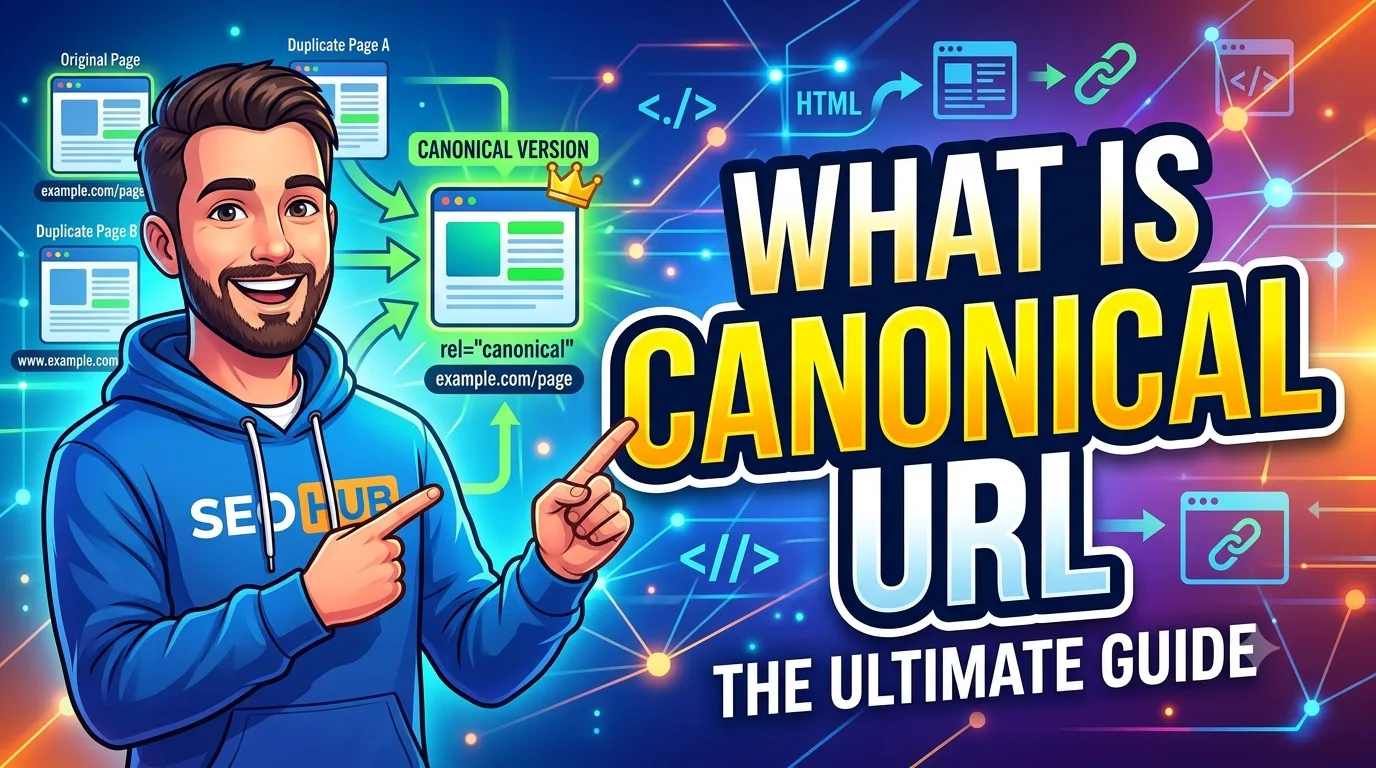
- Canonical URLs consolidate ranking signals — links, authority, and freshness — to one preferred URL.
- Place the
<link rel="canonical" href="..." />tag in the<head>of every duplicate page, including the canonical page itself (self-referencing). - Google treats canonical tags as a strong hint, not a directive; mismatched signals like internal links or sitemaps can override it.
- For AI Overviews, clean canonical structures help search engines extract the most authoritative content without confusion.
- Common mistakes include specifying the wrong domain protocol (HTTP vs. HTTPS), using multiple conflicting signals, and forgetting to update canonicals after site migrations.
- Audit canonical tags regularly using Google Search Console’s Indexing report or tools like Ahrefs Site Audit.
Table of Contents
- What Is a Canonical URL?
- Why Canonical URLs Matter for SEO & AI Overviews
- How to Set a Canonical URL Correctly
- Canonical vs. Other Signals: A Comparison
- Common Canonical URL Mistakes (and How to Avoid Them)
- The Canonical Audit Framework (SMARTCHAINE Prioritization)
- How This Applies in Practice
- Frequently Asked Questions
- Article Summary
- Conclusion
What Is a Canonical URL?
A canonical URL is the URL you declare as the preferred version of a webpage when duplicate or substantially similar pages exist. You communicate this preference via the rel="canonical" link element placed in the <head> of the HTML document. Search engines like Google and Bing use this signal to determine which URL should appear in search results and where to consolidate indexing properties such as links, crawl budget, and authority.
For example, if your website has the same product page accessible at both example.com/shop/item and example.com/shop/item?sort=price, the canonical tag tells search engines which one is the definitive source. Without it, search engines may treat each URL as an independent page, diluting ranking potential.
Why Canonical URLs Matter for SEO & AI Overviews
Duplicate content doesn’t trigger a penalty in the traditional sense, but it forces search engines to divide attention across URLs. Canonical URLs solve this by telling the crawler which page to index and rank. For AI Overviews, a clear canonical structure helps the system identify the single best source of information when multiple pages cover the same topic.
Impact on Crawling and Indexing
When a crawler encounters multiple URLs with identical content, it spends time discovering, fetching, and processing duplicates — consuming crawl budget that could be used for new or priority pages. A canonical tag reduces this waste by guiding the crawler to focus resources on the canonical page. In Google Search Console, you can inspect the “Duplicate, submitted URL not chosen as canonical” status to identify pages where your canonical hint wasn’t followed.
Role in AI Overviews
AI Overviews pull content from indexed pages to synthesize answers. If multiple versions of the same page exist, the system may choose a version that lacks internal links, is on the wrong subdomain, or has a weak content structure. A canonical URL signals the most complete and authoritative version, increasing the likelihood that AI Overviews use your intended content.
How to Set a Canonical URL Correctly
Setting a canonical tag involves a few technical steps, but getting them right is essential for effective SEO. Follow this checklist to avoid errors.
Canonical Setup Checklist
- Add
<link rel="canonical" href="https://example.com/preferred-url/" />to the<head>of every duplicate page. - Include a self-referencing canonical tag on the canonical page itself.
- Use absolute URLs (starting with https://), not relative paths.
- Ensure the canonical URL matches the protocol (HTTPS) and trailing slash preference of the live page.
- Keep the canonical tag consistent across all duplicates: the same tag pointing to the same URL.
- Update the canonical tag whenever you migrate sites, change URL structures, or retire pages.
- Verify canonical choices in Google Search Console under Indexing > Pages after implementation.
Where to Place the Tag
The tag belongs inside the <head> section of the HTML. If you use a CMS like WordPress, plugins such as Yoast SEO or Rank Math add canonical tags automatically. For custom sites, ensure your template system injects the correct tag per page. Do not use the canonical tag in the HTTP header — it is not widely supported by crawlers.
Canonical vs. Other Signals: A Comparison
Search engines evaluate multiple signals to determine which URL to index. Understanding how the canonical tag compares with other methods helps you avoid conflicting messages.
| Signal | Strength | When to Use | Risk if Mismatched |
|---|---|---|---|
| rel=canonical | Strong hint | All duplicate pages | Search engine may ignore if other signals conflict |
| 301 redirect | Directive | Permanent URL moves (e.g., dead duplicates) | Redirects pass nearly all authority but may impact user experience if used incorrectly |
| Internal links | Moderate | Supplementary to canonicals — link to the canonical URL consistently | Inconsistent linking can override canonical hints |
| Sitemap | Moderate | List only canonical URLs in your sitemap | Listing non-canonical URLs may cause indexing confusion |
| hreflang | Cross-language signal | International sites with translated content | Should complement, not contradict, the canonical tag |
Common Canonical URL Mistakes (and How to Avoid Them)
Even experienced SEOs make canonical errors. Here are the most frequent pitfalls and how to fix them.
- Using relative URLs: A relative canonical like
/page/can be misinterpreted. Always use full absolute URLs with the correct protocol and domain. - Pointing to non-indexable pages: If the canonical target is blocked by robots.txt or has a noindex tag, Google may ignore the canonical signal entirely.
- Canonical-to-canonical chains: Page A canonicals to B, B canonicals to C — Google may stop following the chain. Each page should point directly to the final canonical URL.
- Ignoring pagination: Paginated series like blog page 2, 3, and 4 often incorrectly canonicalize to page 1. Use
rel="prev"/rel="next"or a “view-all” page instead. - Forgetting after migrations: After changing domains or URL structures, old canonical tags pointing to legacy URLs create confusion. Update them as part of the redirect mapping process.
- Mixing canonical with noindex: A page should not have both a canonical tag and a noindex tag. Google may ignore the canonical and simply not index the page.
The Canonical Audit Framework (SMARTCHAINE Prioritization)
This framework helps you prioritize which canonical issues to fix first based on traffic impact and signal conflict severity. It uses qualitative scoring rather than precise formulas.
Step 1: Discover Duplicates
Run a site audit using Ahrefs or Semrush. Look for pages with duplicate title tags, duplicate meta descriptions, or high content similarity (thresholds like 85% or higher are common). Also check Google Search Console’s “Alternate page with proper canonical tag” and “Duplicate without user-selected canonical” reports.
Step 2: Assess Impact
Label each duplicate group as high, medium, or low priority based on:
- High: The duplicate receives search traffic. Fixing it can recover ranking or consolidate PageRank.
- Medium: The duplicate is indexed but gets little traffic. Fixing it prevents future crawl waste.
- Low: The duplicate is blocked or noindexed. No immediate action needed unless it conflicts with a live page.
Step 3: Choose the Canonical
For each group, decide the canonical URL based on:
- Which version has the most authoritative backlinks (use Ahrefs or Majestic).
- Which version is linked to from within your site most frequently.
- Which version matches user intent and page purpose.
- Which version uses the preferred HTTPS URL structure.
Step 4: Implement and Verify
Add the canonical tag to all duplicates. After implementation, use Google Search Console’s URL Inspection tool to check the reported canonical. If Google shows a different URL than your declared canonical, investigate conflicting signals.
Step 5: Monitor Monthly
Re-run the audit monthly for high-priority pages and quarterly for medium-priority. Canonical issues can reappear after CMS updates, plugin changes, or content syndication deals.
How This Applies in Practice
For a Beginner Website
If you run a personal blog using WordPress, duplicate content can appear when tag and category pages show full article excerpts. Your canonical strategy: set every individual article’s canonical to itself, and ensure category and tag pages use a canonical pointing to the main archive page. Avoid indexing tag pages if they add minimal value.
For a SaaS Website
SaaS platforms often have regional subdomains (us.example.com, eu.example.com) and multiple pricing page variations based on query parameters (e.g., /pricing?plan=pro). Canonicalize all regional pages to the primary subdomain’s version if the content is identical. For pricing, set parameter-driven URLs to canonicalize to the base pricing page, unless each variation has unique nofollow/referral links.
For an Ecommerce Store
Ecommerce sites struggle with faceted navigation: /shoes?color=red&size=10, /shoes?sort=price, etc. Canonicalize every faceted URL back to the main category page. Use noindex for low-value filter combinations that create near-duplicate pages. This preserves crawl budget for product pages.
For a Local Business
A local business with multiple location pages may accidentally create near-duplicates when the same service description appears on each location page. Canonicalize each location page to itself but ensure unique content. Use structured data (LocalBusiness schema) to clarify location, not canonical tags.
Frequently Asked Questions
1. Does the canonical tag alone guarantee indexing of the canonical page?
No. The canonical tag is a strong hint but not a guarantee. Google considers multiple signals — internal linking patterns, sitemap entries, and redirects — to decide which URL to index. If you want to maximize the chance your canonical page is chosen, ensure internal links consistently point to that URL, the canonical page appears in your sitemap, and no other page has stronger authority signals pointing elsewhere.
2. Can a canonical URL point to a different domain?
Yes, cross-domain canonicals are allowed. For example, if you syndicate an article to a partner site, you can add a canonical tag on the partner’s page pointing back to your original. Google has supported cross-domain canonical since 2009. However, use this sparingly — it only works if the content is truly identical or substantially similar. Misusing cross-domain canonicals for non-duplicate content may confuse search engines.
3. What happens if I use a relative URL in the canonical tag?
Relative URLs are interpreted in the context of the page’s base URL. If the base URL is unclear (e.g., due to HTTP vs. HTTPS or missing slashes), search engines may infer the wrong canonical target. Absolute URLs eliminate this ambiguity and are the recommended format. Always include the protocol, domain, and path.
4. Should I use a canonical tag for every page, including the canonical page itself?
Yes. A self-referencing canonical tag (pointing to the page itself) reinforces to search engines that this URL is the intended version. It also protects against other pages accidentally canonicalizing to this one without your knowledge. Most CMS plugins add self-referencing canonicals automatically.
5. How does Google Search Console report canonical issues?
In Google Search Console, go to Indexing > Pages. Look for statuses like “Duplicate, submitted URL not chosen as canonical” and “Alternate page with proper canonical tag.” The tool shows the URL Google selected as canonical and the URL you submitted. Compare these to find mismatches. Use the URL Inspection tool for individual page verification.
6. If I use a 301 redirect, do I also need a canonical tag?
No. A 301 redirect is a stronger signal than a canonical tag because it physically moves users and crawlers to the target URL. If you permanently redirect a duplicate page, you do not need to add a canonical tag on the source URL — the redirect already handles consolidation. However, ensure the target URL has its own self-referencing canonical tag.
Article Summary
This article explained the definition, purpose, and correct implementation of canonical URLs. You learned that canonical tags solve duplicate content issues by telling search engines which URL to treat as the primary version. We covered the relationship between canonical tags and other signals like 301 redirects, internal links, and sitemaps. The SMARTCHAINE Canonical Audit Framework provides a practical 5-step workflow for discovering, assessing, and fixing canonical issues across different site types. By applying this framework, you reduce crawl waste, consolidate ranking signals, and improve the clarity of your content for search results and AI Overviews.
Useful Tool for This Task
If you need to collect or review links, use the SMARTCHAINE URL Extractor to extract URLs from text, HTML, or code.
Conclusion
Canonical URLs remain a foundational SEO technique in 2026, not because they are complex, but because they solve a fundamental problem: how search engines decide which version of your content to show. When implemented correctly — with absolute URLs, consistent signals, and regular audits — they protect your site from the subtle authority dilution that duplicate content causes. Start by running an audit using the framework above, fix the highest-impact issues first, and build a habit of checking canonical tags during site migrations, CMS updates, and content syndication deals. Clean canonical structure is one of the quickest ways to improve indexing efficiency without adding a single new page.
- Google Search Central — Official documentation on canonical URLs and indexing.
- Schema.org — For structured data considerations alongside canonical structure.
- Semrush Blog — Guides on site audits and duplicate content detection.
- Ahrefs Blog — In-depth tutorials on canonical tag implementation and troubleshooting.
- Google Search Console — For monitoring canonical status and indexing health.
About the Author
The SMARTCHAINE Editorial Team specializes in SEO, AI Search Optimization, GEO (Generative Engine Optimization), AI Overviews, Structured Data, Technical SEO, and search visibility strategies for modern search engines and AI-powered discovery platforms.