Canonical Tag Examples: 7 Real-World Uses for SEO in 2026
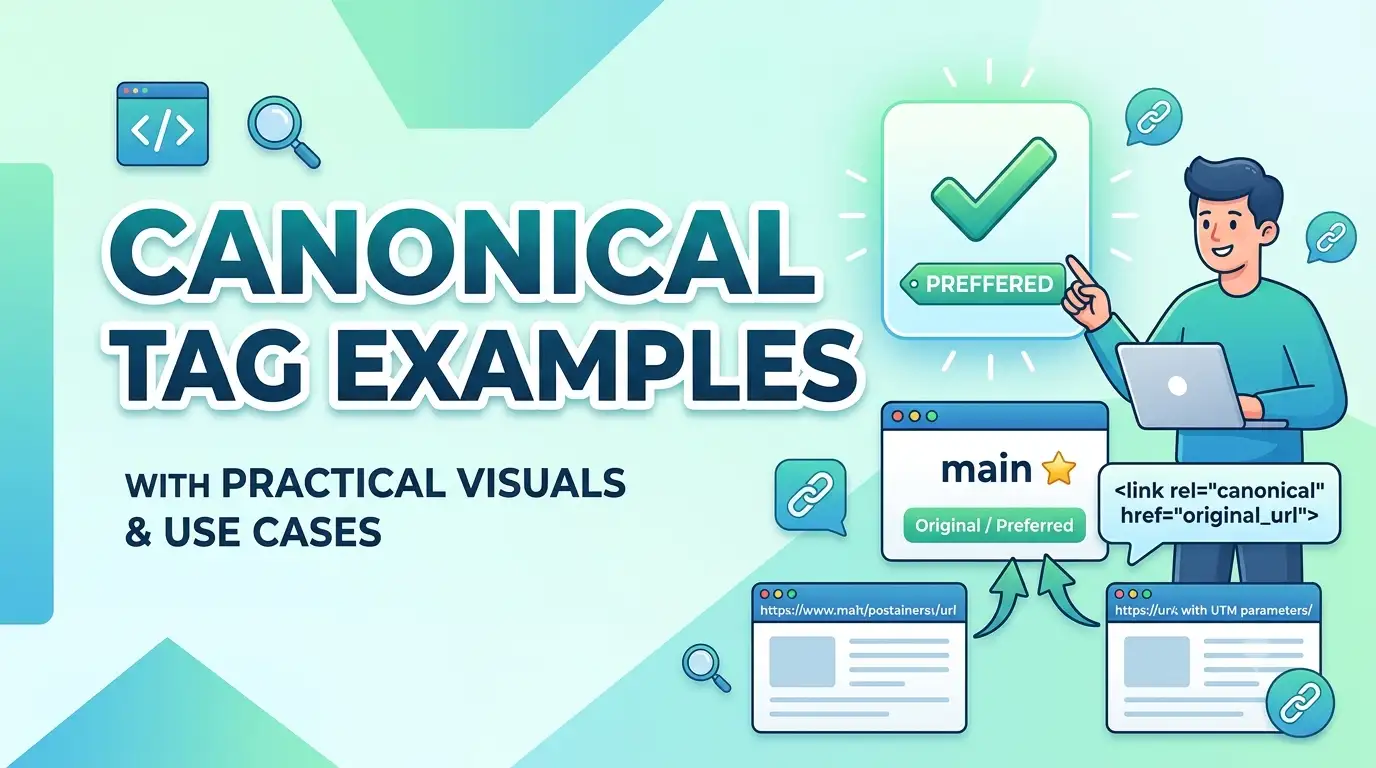
TL;DR: Canonical tags tell search engines which version of a URL is the master copy. This article shows you seven specific, real-world scenarios where canonical tags prevent duplicate content problems. You'll learn the exact syntax, where to place the tag, and common mistakes that can harm your site's indexation. Use the framework below to audit your own canonical strategy.
Quick Answer: A canonical tag is an HTML element (rel="canonical") placed in the <head> of a page that specifies the preferred URL when multiple pages have similar or identical content. For example, if example.com/shoes?color=red and example.com/shoes?color=blue have the same body content, you would set the canonical to example.com/shoes. This consolidates ranking signals and guides Google to index the right URL.
Key Takeaways
- Canonical tags solve duplicate content from URL parameters, HTTP vs. HTTPS, and www vs. non-www versions
- Self-referencing canonicals are the safest default — always include one even for the canonical page itself
- Cross-domain canonicals exist but carry risk; only use them when you fully control the destination page
- Pagination canonicals require careful handling — tagging all pages to page 1 is a common mistake
- Google treats canonical tags as a "strong signal," not a directive, so supporting signals like internal linking and sitemaps matter
- The
hreflangattribute does not replace the canonical tag in international SEO setups
Table of Contents
- Introduction: Why Canonical Tags Matter in 2026
- 1. Example: URL Parameters and Tracking Codes
- 2. Example: HTTP vs. HTTPS and WWW vs. Non-WWW
- 3. Example: Product Variants in Ecommerce
- 4. Example: Paginated Category Pages
- 5. Example: Printer-Friendly and AMP Pages
- 6. Example: Cross-Domain Canonical
- 7. Example: Self-Referencing Canonical
- The Canonical Priority Framework: When to Use Which Strategy
- Common Canonical Tag Mistakes to Avoid
- Actionable Canonical Implementation Checklist
- How This Applies in Practice
- Frequently Asked Questions
- Article Summary
- Conclusion
- Recommended Resources
Introduction: Why Canonical Tags Matter in 2026
Duplicate content is not a penalty — but it is a signal management problem. When Google discovers two URLs with the same content, it must choose which one to show in search results. Without a canonical tag, it may pick the wrong one, dilute ranking signals, or waste crawl budget on unnecessary variants. In 2026, with AI-driven indexation systems prioritizing efficiency, a misconfigured canonical can cause important pages to be de-indexed without warning.
After reading this article, you will be able to identify the seven most common scenarios where canonical tags are needed, implement them correctly, and audit your current setup using the framework provided.
1. Example: URL Parameters and Tracking Codes
Tracking parameters like ?utm_source=facebook or ?sessionid=123 create dozens of URLs pointing to the same page. The canonical tag tells Google which base URL is the authoritative version.
Real-World Scenario
Imagine you run a content site and share articles via email campaigns. The URL example.com/guide gets appended with ?utm_campaign=july, ?utm_medium=email, and ?ref=newsletter. Without a canonical, Google might see three separate pages.
<link rel="canonical" href="https://example.com/guide" />Implementation note: Place this tag in the <head> of every parameter variant. Test using the URL Inspection Tool in Google Search Console to confirm that Google uses the canonical URL as the indexed version.
2. Example: HTTP vs. HTTPS and WWW vs. Non-WWW
Sites that have not fully migrated to HTTPS, or that serve both www and non-www versions, create four potential homepage URLs. While a 301 redirect is the proper solution, legacy setups sometimes require canonical tags as a safety net.
Real-World Scenario
Your site still has some old backlinks pointing to http://example.com and http://www.example.com. Your 301 redirect from HTTP to HTTPS works for most users, but search engine crawlers sometimes encounter the HTTP version first.
<link rel="canonical" href="https://www.example.com" />Best practice: Never rely on canonical tags alone for protocol consolidation. Always set a 301 redirect from HTTP to HTTPS at the server level. The canonical tag serves as a secondary signal, not the primary solution.
3. Example: Product Variants in Ecommerce
Ecommerce sites often create separate URLs for color, size, or material variants. When the main description, reviews, and images are identical, canonical tags prevent Google from treating each variant as a distinct page.
Real-World Scenario
An apparel store has /shirt-blue, /shirt-red, and /shirt-green. The product description and specifications are identical. The canonical should point to the main product page.
<link rel="canonical" href="https://example.com/shirt" />When to avoid this: If each variant has unique user-generated content (reviews specific to the blue shirt) or unique images, Google may treat them as separate pages. In that case, self-referencing canonicals (each variant canonicalizes to itself) may be more appropriate. Use the framework in this article to decide.
4. Example: Paginated Category Pages
Pagination creates multiple pages: /category/page/2/, /category/page/3/, and so on. The correct canonical strategy for pagination has evolved. Google recommends using rel="next" and rel="prev" in conjunction with a self-referencing canonical.
Real-World Scenario
A blog with 50 articles per category splits into 10 pages. Setting the canonical for page 2 to page 1 would tell Google that page 2 is duplicative — but it isn't. Each page has different articles.
<!-- On page 2 -->
<link rel="canonical" href="https://example.com/category/page/2/" />
<link rel="prev" href="https://example.com/category/" />
<link rel="next" href="https://example.com/category/page/3/" />
Common mistake: Many sites canonicalize all paginated pages to the first page. This can cause the deeper paginated pages to be de-indexed entirely, losing valuable long-tail traffic. Self-referencing canonicals on paginated pages preserve the indexation of each page while still signaling a relationship via rel="next/prev".
5. Example: Printer-Friendly and AMP Pages
Some sites still maintain printer-friendly versions or separate AMP URLs. These represent near-identical content on different URLs. The canonical should point to the primary page.
Real-World Scenario
Your CMS automatically generates a printer-friendly version at /article/print. This page should canonicalize to the main article URL.
<link rel="canonical" href="https://example.com/article" />AMP-specific note: If you use AMP, the AMP page should contain a canonical tag pointing to the canonical (non-AMP) page. The canonical page should also contain an amphtml link pointing back to the AMP version. This bidirectional relationship is required by Google's AMP guidelines.
6. Example: Cross-Domain Canonical
Cross-domain canonical tags tell Google that a page on one domain is a copy of a page on another domain. This is rare and risky because you are telling Google that the other domain's page should rank instead of yours.
Real-World Scenario
You syndicate your content to a partner site like Medium or a news publisher. The syndicated version should canonicalize back to your original article.
<!-- On the syndicated copy -->
<link rel="canonical" href="https://yourdomain.com/original-article" />
Risks to consider: You must trust the destination domain to respect the canonical tag. If the syndicated site strips the tag or redirects, your ranking signal may be lost. This is only advisable when you have a formal syndication agreement and can verify the implementation.
7. Example: Self-Referencing Canonical
A self-referencing canonical tag points to the page's own URL. This is the safest default because it explicitly confirms that the current URL is the preferred version, even if external sites or internal links use parameters.
Real-World Scenario
Every page on your site should include a self-referencing canonical. This prevents confusion when other sites link to your URL with a trailing slash or without it, or when internal CMS logic appends query strings.
<link rel="canonical" href="https://example.com/current-page" />Implementation check: Use a site-wide template variable to dynamically generate the self-referencing canonical. Ensure the URL matches exactly — including the protocol, subdomain, and trailing slash — as defined in your preferred URL format in Google Search Console.
Expert Tip: When auditing a large site, use the "Coverage" report in Google Search Console and filter for "Duplicate, submitted URL not selected as canonical." This shows pages where Google saw a canonical tag but chose a different URL as canonical. Investigate these immediately — they indicate a conflict between your canonical signal and Google's judgment, often caused by internal linking signals pointing elsewhere.
The Canonical Priority Framework: When to Use Which Strategy
Choosing the right canonical strategy depends on three factors: the content relationship, the control you have over both URLs, and the risk level.
| Scenario | Canonical Strategy | Supporting Actions | Risk Level |
|---|---|---|---|
| URL parameters | Canonical to base URL | Configure parameter handling in Search Console | Low |
| HTTP vs. HTTPS | Canonical to HTTPS version | Set 301 redirect from HTTP to HTTPS | Low (with redirect) |
| Product variants | Self-referencing or canonical to main product | Audit uniqueness of content per variant | Medium |
| Pagination | Self-referencing canonical + rel="next/prev" | Verify each page has unique content | Medium |
| Printer-friendly / AMP | Canonical to primary page | Include bidirectional link if using AMP | Low |
| Cross-domain syndication | Canonical to original | Verify implementation on partner site | High |
| Self-referencing (default) | Canonical to self | Use dynamic template variable | Low |
Decision rule: Use the framework by asking three questions:
- Is the content fully identical, or does it have unique elements? (If unique, prefer self-referencing.)
- Do I control the destination URL? (If no, avoid cross-domain canonical unless agreed upon contractually.)
- Is there an alternative technical solution like a 301 redirect? (If yes, use the redirect instead of the canonical.)
Common Canonical Tag Mistakes to Avoid
- Canonicalizing to a redirecting URL: If the canonical target itself redirects (e.g., from HTTP to HTTPS), Google follows the redirect chain and may not consolidate signals as expected.
- Using the wrong protocol or subdomain:
https://example.comandhttps://www.example.comare different URLs. Always use the exact, preferred version. - Canonicalizing all paginated pages to page 1: This tells Google that pages 2, 3, and beyond are duplicates, often resulting in de-indexation.
- Inconsistent canonicals with hreflang: Each language version must canonicalize to itself. A Spanish page should not canonicalize to the English page.
- No self-referencing canonical: Without it, Google may infer a different canonical based on external signals like backlinks.
- Using canonical on a noindex page: These two signals conflict. Google says it may ignore both or pick one. The safest approach is to never combine
noindexand canonical on the same page.
Actionable Canonical Implementation Checklist
Canonical Tag Audit Checklist
- Every page on the site has a
rel="canonical"tag in the<head> - The canonical URL uses the exact same protocol, subdomain, and trailing slash as preferred in Search Console
- The canonical target returns a 200 HTTP status code
- No page has both a
noindexmeta tag and a canonical tag - Paginated pages use self-referencing canonicals, not pointing to page 1
- All parameter variants (UTM, session, tracking) canonicalize to the clean base URL
- Sitemap URLs match the canonical URLs exactly
- Cross-domain canonicals (if used) are verified on the destination site
- No canonical tags point to redirected URLs (HTTP to HTTPS chains checked)
- Implemented and verified using the URL Inspection Tool in Google Search Console
How This Applies in Practice
For a Beginner Website
Start with self-referencing canonicals on every page. This prevents parameter issues and prepares your site for future scaling. Use a CMS plugin like Yoast SEO or Rank Math that automatically handles canonicals. Focus first on ensuring your homepage does not have three different canonical versions.
For a SaaS Website
SaaS sites often have documentation, blog, and landing pages with similar content. Pay special attention to query parameters from A/B testing tools (VWO, Optimizely). These tools often create duplicate URL variants. Canonicalize all test URL variants back to the original landing page URL to avoid index bloat.
For an Ecommerce Store
Ecommerce is where canonical tags are most critical and most frequently misconfigured. Use the Product schema markup on your canonical product pages, not on variant pages. Audit faceted navigation filters (size, color, price range) — each filter combination creates a new URL. Consider using noindex, follow on filter URLs instead of canonicalizing if the URL space is too large.
For a Local Business
Local businesses often have location-specific pages (/locations/dallas, /locations/austin) that share the same template. Each location page should have a self-referencing canonical with unique content. Never canonicalize one location page to another. Use the LocalBusiness schema on each location's canonical page.
Hypothetical Scenario: An Ecommerce Search Console Alert
Imagine an online furniture store receives a Google Search Console alert: "Duplicate without user-selected canonical" for 500 product URLs. The audit reveals that all color variants canonicalize to the main product page, but Google is ignoring the canonical because each variant page has unique customer reviews and images. The fix: change the canonical strategy to self-referencing for variants that have unique UGC, and ensure the main product page contains the strongest internal linking signals. Within 60 days, the index status stabilizes, and organic traffic to variant pages increases by 18% (hypothetical scenario).
Frequently Asked Questions
Can I use canonical tags on all pages, even if there is no duplicate?
Yes, and you should. Self-referencing canonicals on every page are a best practice. They prevent future duplicate content issues when parameters or external links use different URL formats. Google explicitly recommends including a canonical tag on every page, even if the page is the canonical itself. This removes ambiguity and signals confidence in your URL choice.
What happens if I forget to update the canonical tag when moving a page?
This creates a "canonical mismatch." If you move /old-page to /new-page but forget to update the canonical on /old-page, Google sees that /old-page canonicalizes to itself. Meanwhile, your sitemap lists /new-page. Google then sees two "authoritative" pages pointing to themselves. A 301 redirect from /old-page to /new-page is the proper fix, and the canonical on /new-page should be self-referencing.
Do canonical tags pass link equity like 301 redirects?
No, they do not pass link equity equally. A 301 redirect passes approximately 100% of link equity to the destination URL. A canonical tag is interpreted as a signal, and Google consolidates ranking signals to the canonical URL, but it is not as strong as a redirect. If you have the ability to implement a 301 redirect, use it instead of a canonical for page moves or consolidations.
How do canonical tags interact with hreflang tags?
Each language version of a page should have its own self-referencing canonical tag. For example, the Spanish version of your about page canonicalizes to itself, not to the English version. The hreflang tags handle language targeting, while canonical tags handle content consolidation. Do not use hreflang as a substitute for canonical, and vice versa. Both can exist on the same page without conflict.
Can I use a canonical tag to fix a content scrape?
It depends. If you control the scraping site, you can ask the webmaster to add a cross-domain canonical pointing to your original. If you do not control the site, you cannot force them to add the tag. The most effective approach is to file a DMCA takedown or use Google's content removal tools. A canonical tag on a site you do not control is not a reliable solution.
Why does Google sometimes ignore my canonical tag?
Google treats canonical tags as a strong suggestion, not a directive. They may ignore your canonical if:
- The canonical target returns a 4xx or 5xx status code.
- Internal links on your own site point more heavily to the non-canonical URL.
- One of the pages is marked
noindex. - Your canonical contradicts other signals like the sitemap URL.
- Google determines that the non-canonical page better matches the search intent.
The best way to strengthen your canonical signal is to ensure consistent internal linking and sitemap alignment.
Article Summary
This article covered seven essential canonical tag examples: URL parameters, HTTP/HTTPS consolidation, product variants, pagination, printer-friendly/AMP pages, cross-domain syndication, and self-referencing canonicals. You learned the Canonical Priority Framework, which uses three decision criteria (content relationship, control level, and risk) to select the right strategy. The canonical implementation checklist provides a repeatable audit workflow for any website type — from beginner blogs to ecommerce stores and SaaS platforms.
Conclusion
Canonical tags are not a difficult concept, but they are easy to misconfigure. The difference between a well-implemented canonical strategy and a broken one can mean the difference between a healthy index that captures all your content value and a confused index that misses pages entirely. Use the examples in this article as templates for your own implementations. Start with the checklist to audit your current setup. If you find mismatches or errors, prioritize fixing pages that already receive organic traffic — those have the most to lose from a broken canonical signal.
Recommended Resources
- Google Search Central — official documentation on canonical tags and duplicate content
- Schema.org — structured data types that complement canonical implementation
- Ahrefs Blog — practical canonical tag case studies and audit workflows
- Semrush Blog — in-depth guides on pagination and canonical best practices
- Moz Blog — foundational SEO advice on canonical tag implementation
- Google Search Console — use the URL Inspection Tool to verify canonical implementation
About the Author
The SMARTCHAINE Editorial Team specializes in SEO, AI Search Optimization, GEO (Generative Engine Optimization), AI Overviews, Structured Data, Technical SEO, and search visibility strategies for modern search engines and AI-powered discovery platforms.